
Product successfully added to your cart
Quantity:
Total:
No products
Product successfully added to your cart
 Sell
Sell 

Probably a large part of the population already knows what a Macbook is and whose production these technologically equipped laptops are. However, we admit that there is also a small percentage of people who have probably heard the name, but are not familiar with the details of the features of these notebook computers, as well as the factors that determine the right purchase of a second-hand laptop. That's why we decided to dedicate an entire material to these great portable solutions and help you make a more informed and correct choice.
These are extremely thin and very elegant looking portable computers manufactured by the American company Apple, whose history begins with its founding by the legendary Steve Jobs. They hide under their hood incredible power and precision in performance. They are equipped with the most modern and productive Intel processors of the latest generation, as well as the best SSD drive device, further increasing productivity thanks to its high data exchange speed.
The main thing that distinguishes these small, light and elegant mobile devices is their operating system called macOS. It is maximally well optimized to use the resources of the hardware with minimal consumption of electricity from the battery. But that's not all! Thanks to the iCloud cloud service, any owner of a similar computer or other company devices, such as iPhones or iPad tablets, can access their data from anywhere in the world and from any of the mentioned gadgets.
In view of the absence of a fan, this miniature “beast” is literally silent and extremely productive, no matter if you want to work with office programs, surf the Internet, listen to music or watch movies. At the same time, you get enough RAM for multitasking and persistent storage for your favorite movies, music, games, and more.
There are two main options for buying a second-hand laptop. The first is from a specialized store and the second - is directly from a person who has previously used it. However, there are significant differences between the two options. In the first case, before the product is put on display for sale, it passes a number of different tests for full functionality by a team of specialists in the field. For this reason, the store advertises the product with a long-term guarantee for full functionality.
In the second case, however, there is a risk of coming across an ill-wisher who will sell us a defective product, the bug of which will appear after some time and at the time of purchase we will think that everything with its operation is ok. Then we simply won't be able to find that person again and get our money back. However, we can pay attention to some features at first glance, so as to insure ourselves as much as possible:
the presence of scratches or cracks on the case - if they exist, and they are many, we can expect that the owner of the device, not he took great care of it and it is very likely that some defects will appear after time;
the health of the screen hinges - testing for correct functionality of the display hinge is mandatory. It must be tight enough so that the display cannot independently deviate from the positioned corner and at the same time it is possible to close it with one hand;
burnt pixels - under different conditions (shocks), one or more pixels of the display matrix may burn, which means that when healthy points can change color, burnt ones cannot and remain white or glow only in one color;
check the characteristics - when we negotiate the purchase of a second-hand laptop, usually the seller tells us certain characteristics, but to make sure of the truth of what was said, it is good to install, for example, the program AIDA64 or Speccy. Each one will show you a detailed list of available features;
battery status - first of all, turn on the charger and pay attention to the charging indicator. If it reports charging activity, that's good. Unplug the charger cable while the machine is on to keep the machine on battery. If the laptop turns off immediately after disconnecting the charger, then the battery is “dead”.
When we buy a brand new MacBook, after turning it on for the first time, we will be greeted by the Setup Assistant, which will guide us through elementary steps to properly configure the software:
The first step is for “Welcome” and it requires the selection of the main language of the interface. After choosing the language, we click on the continue button and now we have to choose the keyboard language;
In step 2, we just have to select from the list our personal Wi-Fi network and enter the name and password if necessary;
If you previously had a Mac and now want to restore your previous data from backup, now is the time to do it;
You need to enable the geolocation service, which is required by some applications, such as Find my Friends, the service for finding friends;
At this stage, you enter an existing Apple ID account or create a new one. Without such registration, it is difficult to use the Apple ecosystem;
We are nearing the end, but before using the product, you must agree to the company's terms and conditions.
In general, you go through a step-by-step process of entering certain data in order to be able to use the new device.
Because we are a dealer with a proven positive history in the technology market and we offer an extremely wide range of Apple laptops at incredibly affordable prices. Our online store also provides a significantly longer warranty and professional service than other competitors. Our digital store is equipped with all the necessary electronic filters for easy and quick selection of the right product, based on set criteria, so take advantage. We are expecting you!
 PROMO12 MONTHS
  PROMO12 MONTHS
  PROMO12 MONTHS
  PROMO12 MONTHS
  PROMO12 MONTHS
 Blog
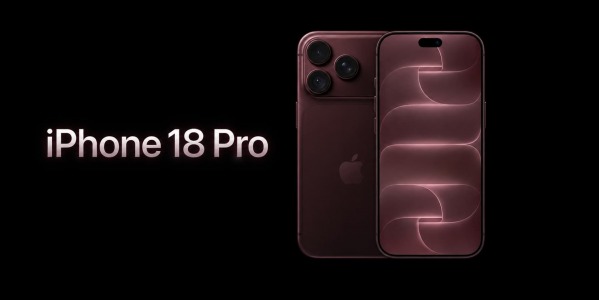
What's new in iPhone 18 Pro?
On September 9, 2026, at 8:00 PM Bulgarian time, Apple held its highly anticipated presentation, during which the company introduced the new...


