
Product successfully added to your cart
Quantity:
Total:
No products
Product successfully added to your cart
 Sell
Sell 

Apple's ecosystem continues to grow year after year, including an ever-increasing variety of accessories. The company actively strives to offer a variety of accessories for its devices, and in the following article we will mention five outstanding accessories that adapt to both iPhone mobile phones and Apple iPad tablets.

In the fast-paced world of wearable technology, few devices have captured the imagination like the smartwatch. With its elegant design, advanced features, and seamless integration with the Apple ecosystem, the smart watch has become the preferred choice for fitness enthusiasts, tech lovers, and individuals who appreciate style and fashion. Join us as we delve into the smartwatch world, exploring its capabilities, innovations, and the countless ways it enhances our lives.

iPad is a line of tablet computers designed and manufactured by the company Apple. It features a touchscreen display and offers a wide range of features, including web browsing, email access, media playback, gaming, and productivity applications.iPad works with the iOS operating system that is on Apple, providing users with a seamless and intuitive user experience. The company is known for its commitment to quality and craftsmanship, and its tablet is no exception.

Apple AirPods Pro are industry-leader Wireless Headphones, which provide unsurpassed sound quality and user convenience. These headphones transform the way you enjoy music, giving you a personalized experience with an impressively simple and elegant solution.

On 12.09.2023 at 20:00 our time, the online Apple event was held, which was watched by several million people. It announced all the new innovations in the company, some of which were the company's aspiration to reach 100% carbon neutrality by 2030, new watch models, and the new smartphone iPhone 15 and its larger counterpart iPhone 15 Plus.

The iPhone 14 Pro Max is the highest-end phone of the entire 14 series that was announced in September 2022 by Apple. The smartphone has remarkable new advantages over its older counterparts. In the post, we will look at the pros and cons of this model.

There are only a few months left until the new 15th series of Apple smartphones. It will include two higher-end models, which are expected to be the iPhone 15 Pro and iPhone 15 Pro Max. At the moment, expectations are for the premiere of the new models in September, when Apple will officially announce all the news surrounding their range of mobile phones, but until then, we have 10 unconfirmed Apple rumors to share with you in this post.

5G mobile network refers to the fifth generation of wireless cellular network technology. The network is the successor of the previous generation, 4G LTE (Long-Term Evolution). 5G is designed to provide significantly higher data rates, lower latency (delay), greater capacity, and support for a vast number of connected devices.

The world of mobile connectivity has witnessed a remarkable evolution over the years. From the advent of 2G to the widespread adoption of 4G, each generation has brought significant advances in speed, capacity, and reliability. Now that we are entering the 5G era, a new horizon of possibilities is opening up. In this post, we'll explore the key differences between 4G and 5G mobile networks, delving into their technical capabilities, applications, and impact on various industries.

Do you have a feeling that the charged phone drops faster than normal? Do you think his before on a single charge, the phone lasted a lot, and that something has changed? A common problem is that users do not go into the settings of their phones, and this often leads to a larger and unnecessary expenditure of energy. The higher energy consumption is due to functions that work in the background and we do not remember to turn them off. Therefore, you can read our article and try our 15 tips to optimize your spending energy and increase the performance of your Apple iPhone. Most of the steps are universal and apply to all smartphones, such as Samsung phones. We advise you to read all the steps, even if you own a different brand of smartphone or tablet.
Blog
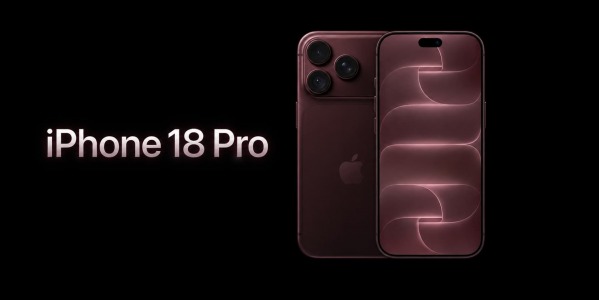
What's new in iPhone 18 Pro?
On September 9, 2026, at 8:00 PM Bulgarian time, Apple held its highly anticipated presentation, during which the company introduced the new...


